WORDPRESS SPEED OPTIMISATION

Make your WordPress site fast. Without starting again.

Most slow WordPress sites aren’t slow because of their content. They’re slow because of what they’re built on. We fix that on the site you already have.

  • revirto.com: 99 on mobile
  • Automation CoE: 69 → 96 on mobile
  • Elementor sites welcome

Results we’ve measured

Two sites we built, tested with Google’s own PageSpeed tool on mobile.

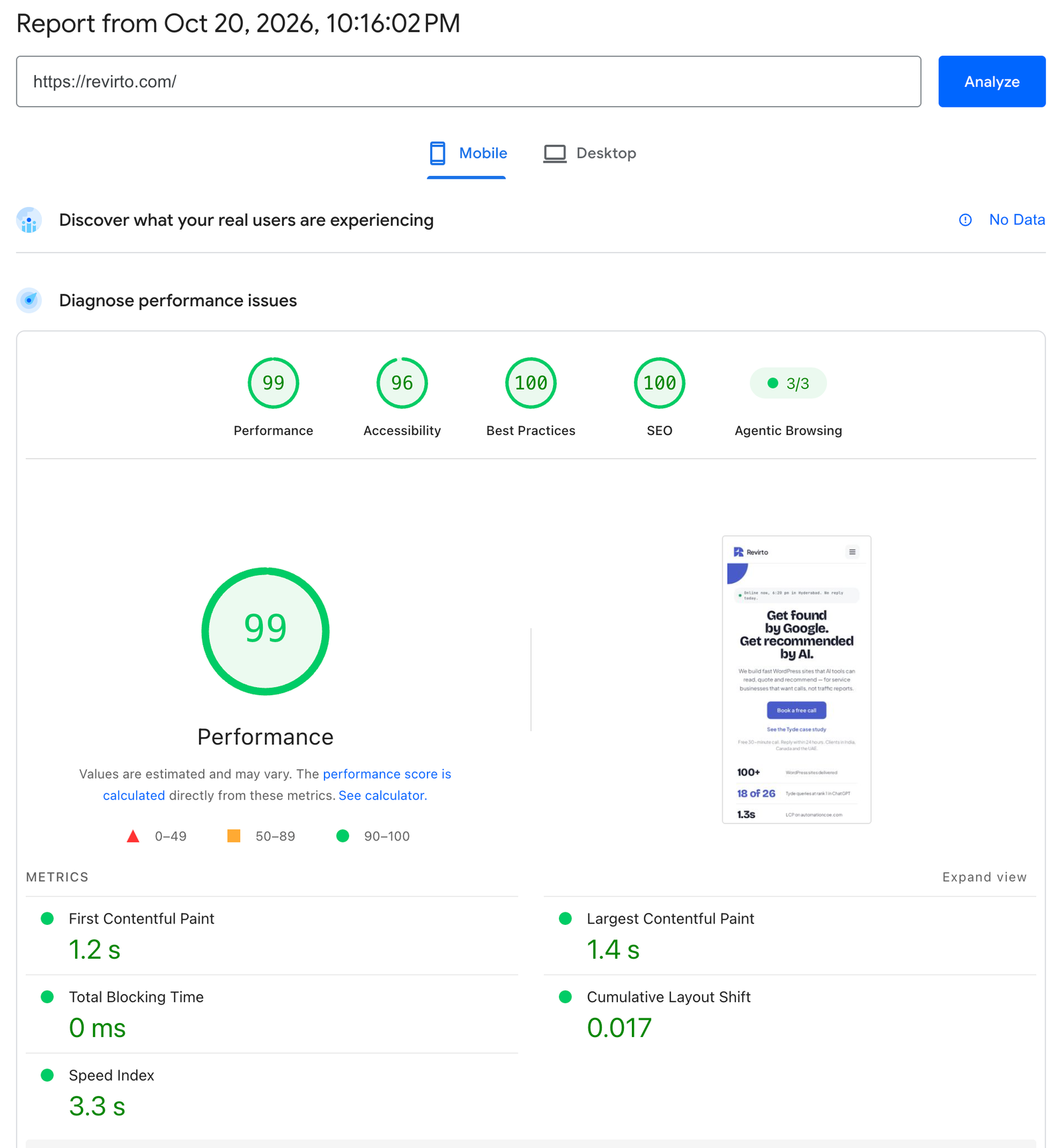
MOBILE PERFORMANCE SCORE (LIGHTHOUSE, LAB) revirto.com
MOBILE · 20 OCT 2026 99

LCP on mobile / desktop1.4s / 0.5s

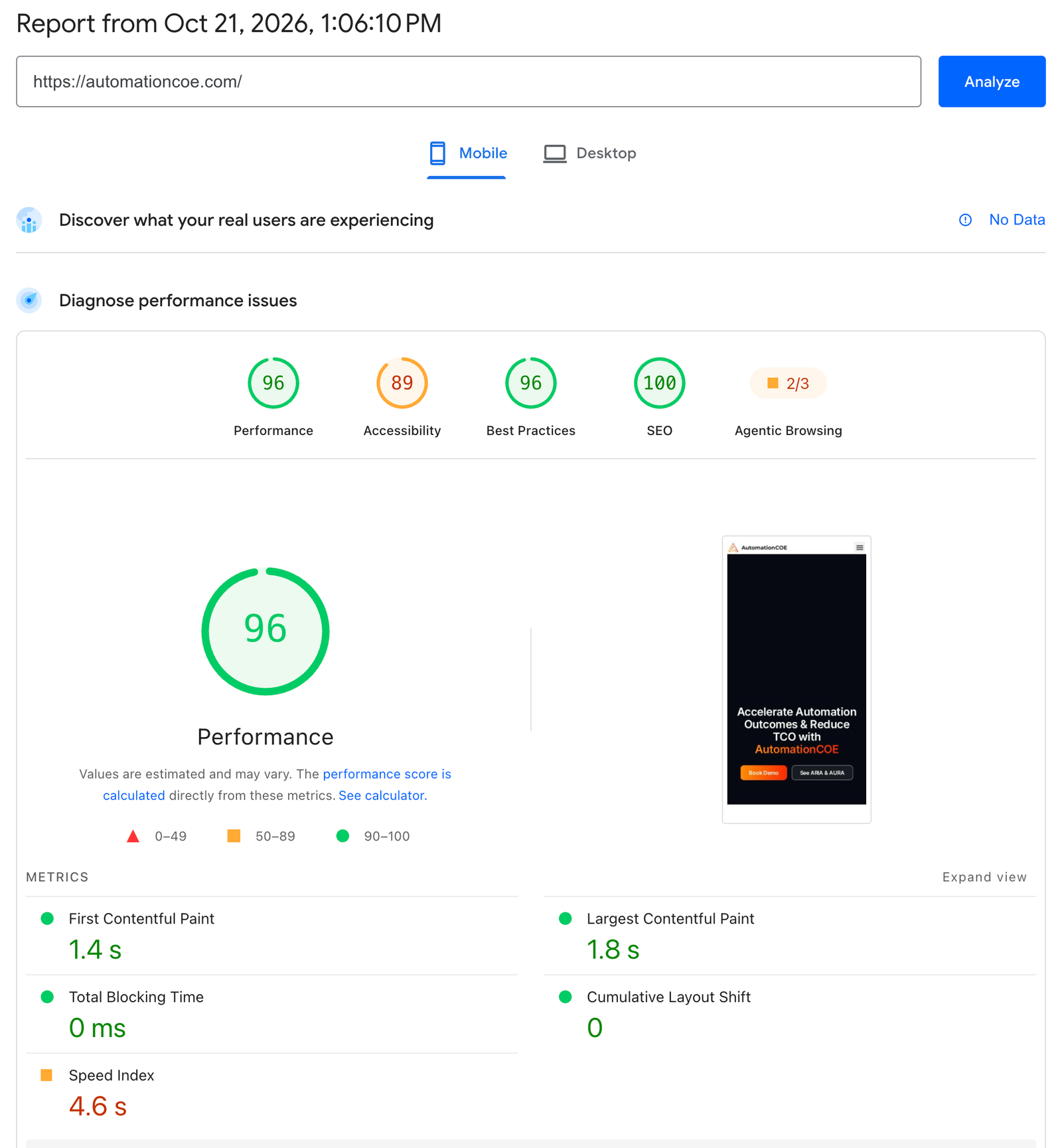
MOBILE PERFORMANCE SCORE Automation CoE
BEFORE 69
AFTER · 21 OCT 96

LCP on mobile3.3s → 1.8s
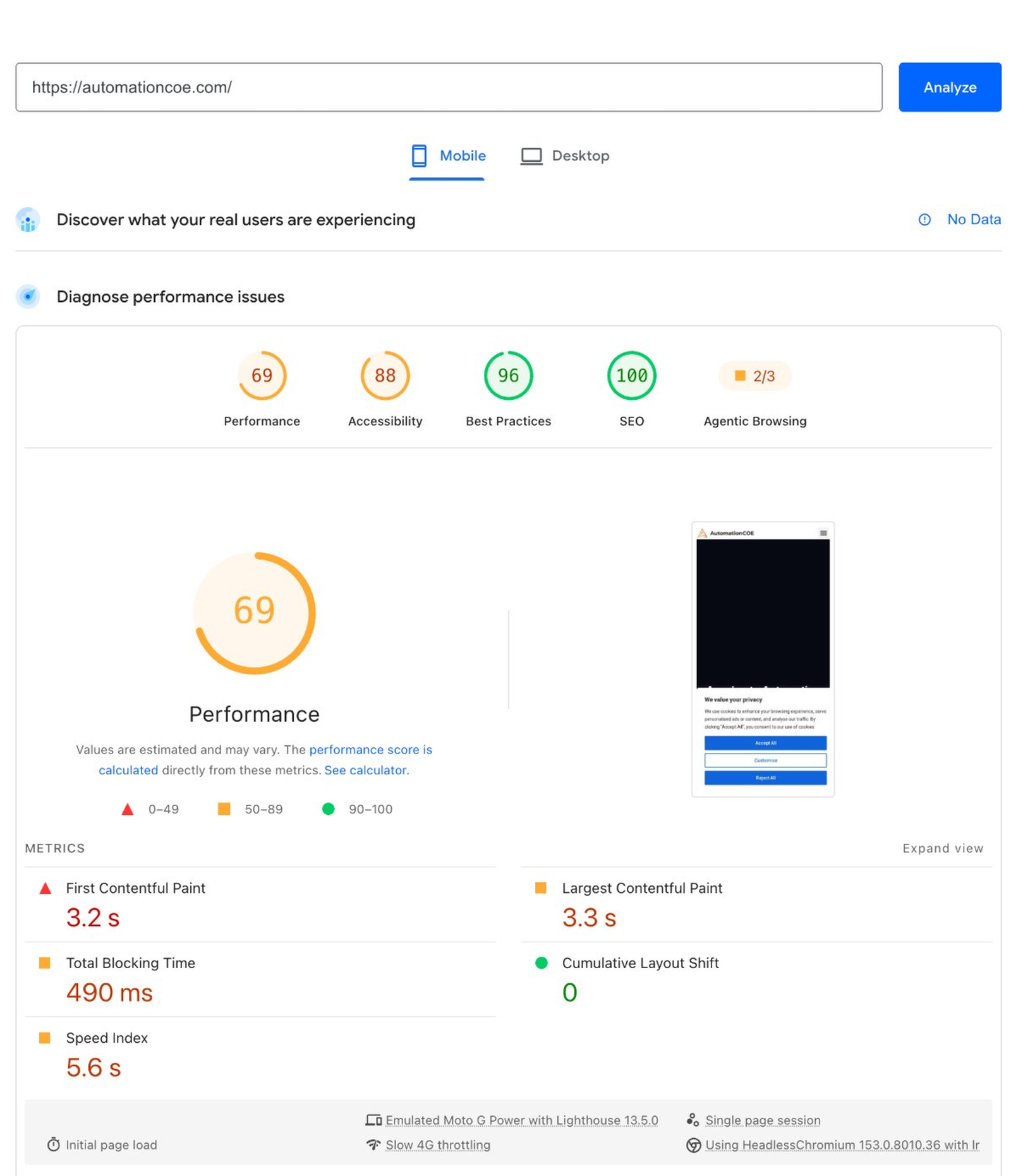
Google PageSpeed Insights mobile report for automationcoe.com before the speed work: Performance 69, Largest Contentful Paint 3.3 s
AUTOMATION COE · BEFORE
Google PageSpeed Insights mobile report for automationcoe.com on 21 October 2026: Performance 96, Largest Contentful Paint 1.8 s
AUTOMATION COE · AFTER · 21 OCT
Google PageSpeed Insights mobile report for revirto.com on 20 October 2026: Performance 99, Largest Contentful Paint 1.4 s
REVIRTO.COM · MOBILE · 20 OCT

revirto.com runs on Elementor and shared hosting. It’s proof that a page builder and an ordinary hosting plan can be fast when the site is built carefully. LCP is the time it takes for the main content to appear; Google calls 2.5 seconds or less “good”. Here’s more on what LCP is.


What usually slows a WordPress site

CauseWhat it does
A heavy themeLoads scripts, animations and styles on every page, even pages that don’t use them
Too many pluginsEach one can add its own files to every page
Oversized imagesA 3 MB photo where 150 KB would look the same
FontsSeveral font families and weights loading before text appears
Sliders and animationsThe main content waits for a script to run
No cachingThe server builds every page from scratch for every visitor

We learned the first one the hard way: one client’s main site ran on a heavy theme that loaded animations on every page. Getting it fast was a fight. Their next site started on a light base, and stays fast at 50 pages.

What we fix

  • Images: resized, compressed and served in modern formats, with nothing in the first screen lazy-loaded

  • Fonts: fewer weights, loaded so text shows straight away

  • Plugins: unused ones removed, heavy ones replaced where there’s a lighter option

  • Theme and page builder: scripts and styles only load on the pages that need them

  • Caching: page caching and browser caching set up and tested

  • Above the fold: the first screen simplified so the main content appears fast

  • Checks: forms, menus and tracking tested after every change, so nothing breaks

What we don’t touch

We don’tBecause
Change your designSpeed work should be invisible. If a change would alter how the site looks, we ask first.
Change your content or URLsYour pages, wording and Google rankings stay as they are
Remove features you useIf a plugin does a job you need, we find a lighter way, or keep it
Move your hosting without askingSometimes hosting is the problem. We’ll show you the numbers and let you decide

If a site is so heavy that fixing it would cost more than starting again, we’ll tell you, and quote a rebuild instead.

How long it takes and what it costs

PriceFrom $297
Timeline3–7 days for a typical website
What you getBefore and after scores, a short note of what changed, and 30 days of fixes

Common questions

Usually not. Most sites can be made much faster by fixing images, fonts, plugins and caching. We’ll tell you honestly if a rebuild makes more sense.

How fast is your site on a phone?

Send us your homepage. On a free call we’ll run it through PageSpeed live, show you what’s slowing it down, and give you a fixed price.

Not ready to talk? Read the Tyde case study

takes 30 seconds

Pick a day

October

Times shown in your time zone

Continue with Tue 6, 14:00

Reply within 24 hours. No commitment