
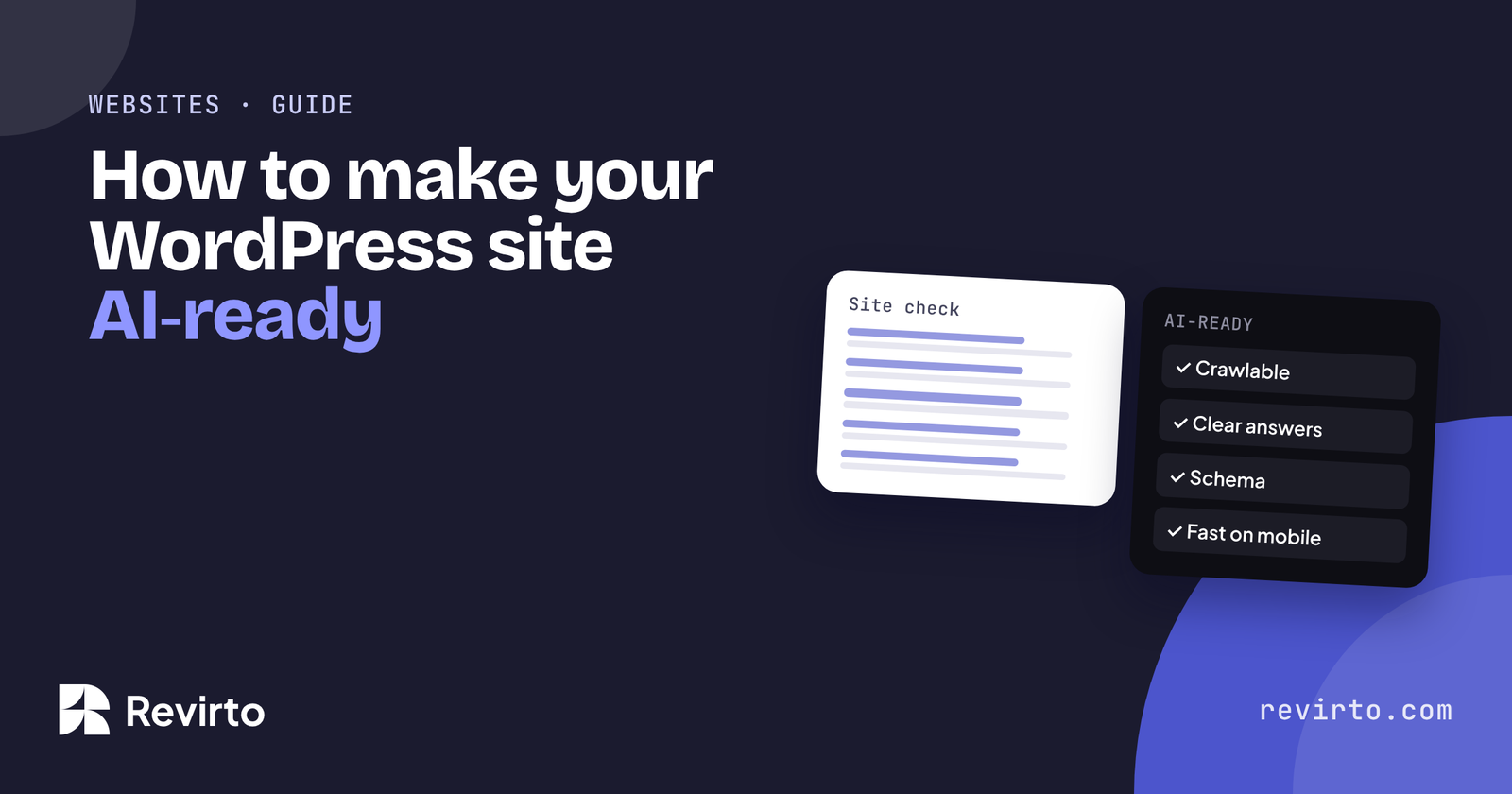
An AI-ready website is one that AI tools like ChatGPT, Gemini and Google’s AI Overviews can reach, read and quote without guessing. On WordPress that means: don’t block AI crawlers, put the answer at the top of each page, label your facts with schema, keep pages fast on a phone, use one clear page per topic, and check the result every month.
What does ‘AI-ready’ mean for a website?
A normal website is built for people. An AI-ready website is built for people and for the software that now reads websites on their behalf.
When someone asks ChatGPT “who’s a good physio in Calgary?”, the tool searches, opens a handful of pages, pulls out what it needs and writes an answer. If your page is slow, blocked, vague or buried in sliders, it gets skipped. If it’s fast, clear and easy to quote, it has a chance to be in the answer.
| Part | What it means | How to check |
|---|---|---|
| Crawlable | AI crawlers aren’t blocked | Read your robots.txt |
| Clear answers | Each page answers one question, answer first | Read the first two lines of each page |
| Labelled facts | Schema on every page type | Google’s Rich Results Test |
| Fast | Main content loads in under 2.5 seconds on a phone | PageSpeed Insights, mobile |
| Clean structure | One page per service, logical headings, internal links | Look at your menu and headings |
| Checked | You know whether AI tools name you | Monthly logged-out checks |
Being AI-ready doesn’t get you named on its own. It’s the base that AI SEO builds on.
Can AI crawlers read your site?
AI companies use crawlers (bots) to read web pages. The main ones are OpenAI’s GPTBot and OAI-SearchBot, PerplexityBot, Anthropic’s ClaudeBot, and Google’s normal Googlebot, which also feeds AI Overviews.
Open yourdomain.com/robots.txt in your browser. If you see “Disallow: /” under any of those names, that bot is blocked. Many security plugins and hosts add blocks without telling you, so check even if you never touched the file.
Other things that stop crawlers:
- Content that only appears after a click, a tab or a cookie banner
- Text inside images, sliders or videos with no text version
- Pages that need a login, or that are set to “noindex” by mistake
- Firewall rules that block unknown bots
You can also add an llms.txt file, a short map of your key pages for AI tools. It’s not proven to help yet, but on WordPress it takes one setting.
How should pages be written so AI can quote them?
AI tools quote short, direct passages. A page that makes the reader scroll past a slogan, a slider and three paragraphs of history before saying what you do is hard to quote.
Put the answer first
The first two lines of a service page should say what you do, for whom, where, and roughly what it costs. “Family dentist in Leeds. Check-ups from £45, same-week appointments, and Invisalign from £2,800.”
Use question headings
“How much does it cost?” “How long does it take?” “Who is it for?” These match the way people ask AI tools, so the tool can find the right passage.
Be specific
Numbers, place names, timelines and named people are easy to quote. “We’re passionate about quality” is not.
One page, one topic
A single “Services” page with eight services makes the tool guess what you’re best at. Give each service its own page.
Which structured data matters?
Schema markup is code that labels your facts: your business name, address, services, prices and FAQs. It doesn’t make AI tools trust you, but it stops them getting your facts wrong.
| Page | Schema type |
|---|---|
| Homepage | Organization or the closest LocalBusiness type |
| Service pages | Service, with area served and price range |
| Pages with FAQs | FAQPage |
| Blog posts | Article, with author and dates |
| Every page | BreadcrumbList |
On WordPress, Rank Math or Yoast handle most of this. Check each page type once in Google’s Rich Results Test.
Does speed matter for AI?
Yes, in two ways. First, Google uses page experience in its normal rankings, and AI Overviews draw from pages Google already ranks. Second, some AI tools fetch pages live while answering. A page that takes eight seconds to load may simply be skipped.
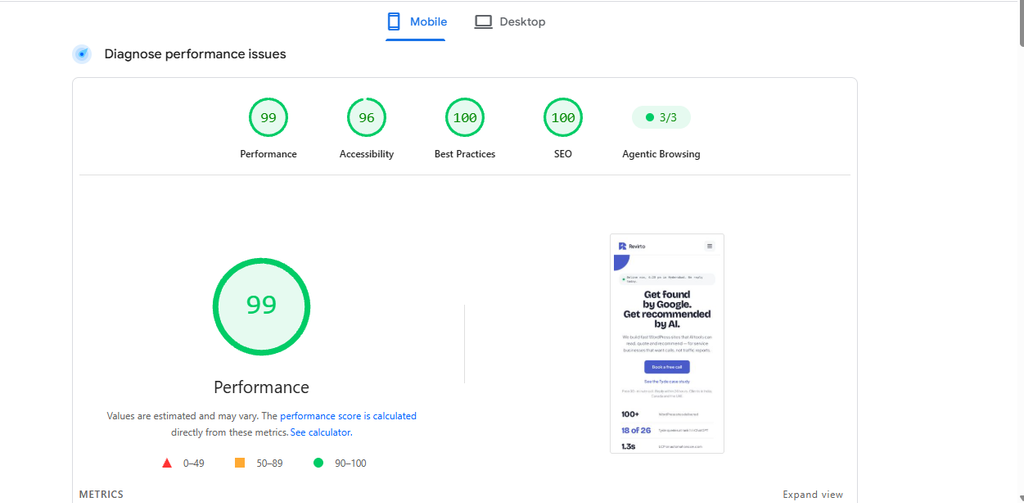
The measure to watch is LCP (Largest Contentful Paint): how long the main content takes to appear. Google calls under 2.5 seconds “good”. Our own site, revirto.com, loads its main content in 1.4 seconds on mobile and 0.5 seconds on desktop, on Elementor and shared hosting.
Most slow WordPress sites are slow because of the theme and plugins, not the content. A light theme and fewer plugins usually do more than any speed plugin.
How do you check your own site?
Ten minutes and four free tools:
| Check | Tool | What good looks like |
|---|---|---|
| Crawlers allowed | yourdomain.com/robots.txt | No AI bot blocked by name |
| Speed | pagespeed.web.dev (mobile) | LCP under 2.5s, performance in the green |
| Schema | search.google.com/test/rich-results | Your page types detected, no errors |
| AI agents can use it | Lighthouse, agentic browsing checks (in Chrome DevTools) | All checks passed |
| Answers | Read each service page’s first two lines | What, for whom, where, roughly how much |
| Named by AI | ChatGPT, logged out, private window | You appear for your main questions |
If you’d rather start clean, all our WordPress websites built to be AI-ready ship with schema, llms.txt, speed work and Search Console set up before launch.
Common mistakes
| Mistake | What happens |
|---|---|
| A security plugin blocking “unknown bots” | AI crawlers get turned away and nobody notices |
| The answer hidden in a slider or accordion | AI tools and Google may skip text that only appears on click |
| One “Services” page for everything | The AI can’t tell what you’re best at, or where |
| Text inside images | Prices and offers in a graphic can’t be read or quoted |
| Installing a speed plugin on a heavy theme | Scores move a little; the weight stays |
| “Set and forget” | New plugins and pages slowly undo the work; check monthly |
A real example: revirto.com
We hold our own site to the same list. revirto.com is built on WordPress with Elementor, on shared hosting, which is the setup most people assume can’t be fast or AI-ready.
- Crawlable: robots.txt only blocks the WordPress admin area. Every AI crawler can read the site.
- Clear answers: every service page opens with what it is, who it’s for and a “from” price.
- Labelled facts: schema on every page type, and an llms.txt file generated by Rank Math.
- Fast: a 99 performance score on mobile, with the main content loading in 1.4 seconds.
- Checked: the same AI questions every month, the way we do it for clients.
None of this needed a custom platform. It needed a light build, one page per question, and the discipline to check.
Your first 30 days
- Open your robots.txtand remove any block on AI crawlers you didn’t mean to add
- Rewrite the first two linesof your three main service pages: what, for whom, where, how much
- Run your homepage through PageSpeed Insightson mobile, and note the LCP
- Check one page of each typein Google’s Rich Results Test
- Ask ChatGPT your top three buyer questionslogged out, and save the answers
Common questions
Do I need a new website to be AI-ready?
Not usually. Most sites can be fixed: unblock crawlers, rewrite page openings, add schema and remove heavy plugins. A rebuild only makes sense if fixing costs more.
Does Elementor stop a site being AI-ready?
No. revirto.com is built with Elementor and scores 99 on mobile. It’s how the page is built that matters, not the builder.
Should I block AI crawlers to protect my content?
For most service businesses, no. If AI tools can’t read your site, they can’t recommend you. Blocking makes more sense for publishers who sell their content.
Is AI-ready the same as SEO?
Mostly they overlap. Clear, fast, well-structured pages help both. AI-ready adds a focus on direct answers and on checking what AI tools actually say about you.